Integrating Google Pub/Sub with ClickHouse Cloud
ClickPipes for GCP Pub/Sub is in Public Beta.
Pub/Sub ClickPipes can be deployed and managed manually using the ClickPipes UI, as well as programmatically using OpenAPI and Terraform.
Prerequisite
You have familiarized yourself with the ClickPipes intro, have access to a GCP project containing the topic you want to ingest from, and have created a service account with the appropriate Pub/Sub permissions. Follow the Pub/Sub IAM Permissions guide for the exact set of permissions ClickPipes requires.
Creating your first ClickPipe
- Access the SQL Console for your ClickHouse Cloud Service.
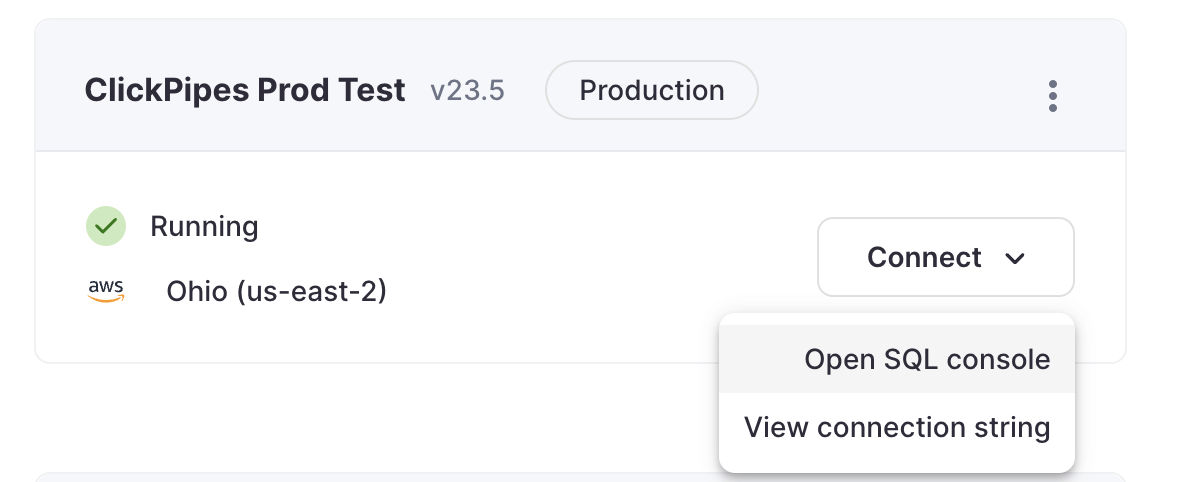
- Select the
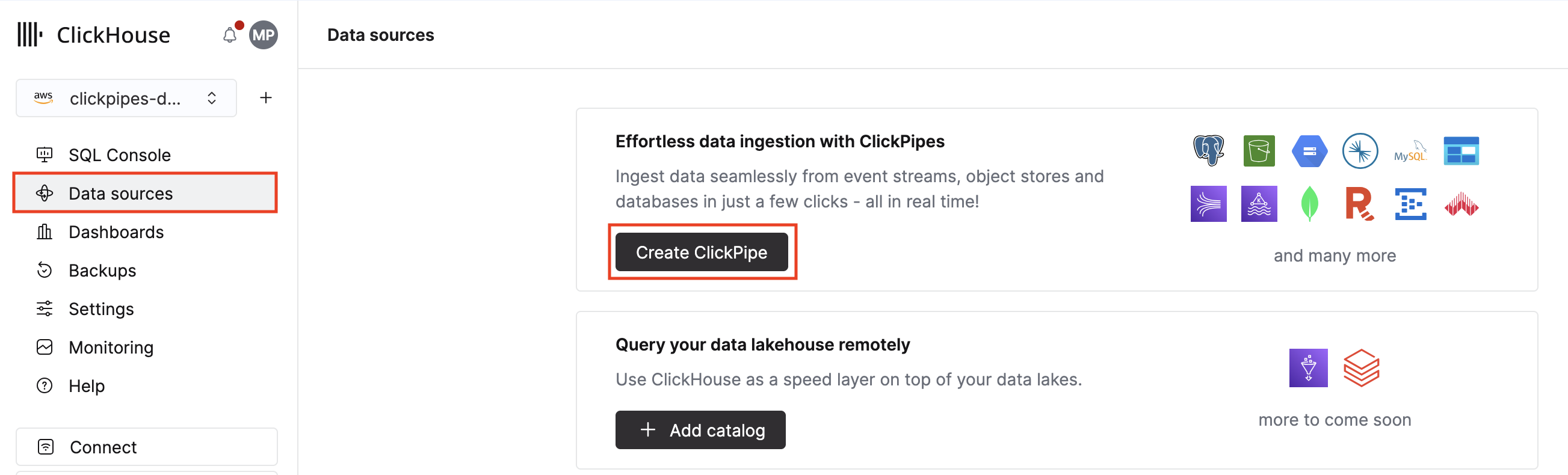
Data Sourcesbutton on the left-side menu and click on "Set up a ClickPipe"
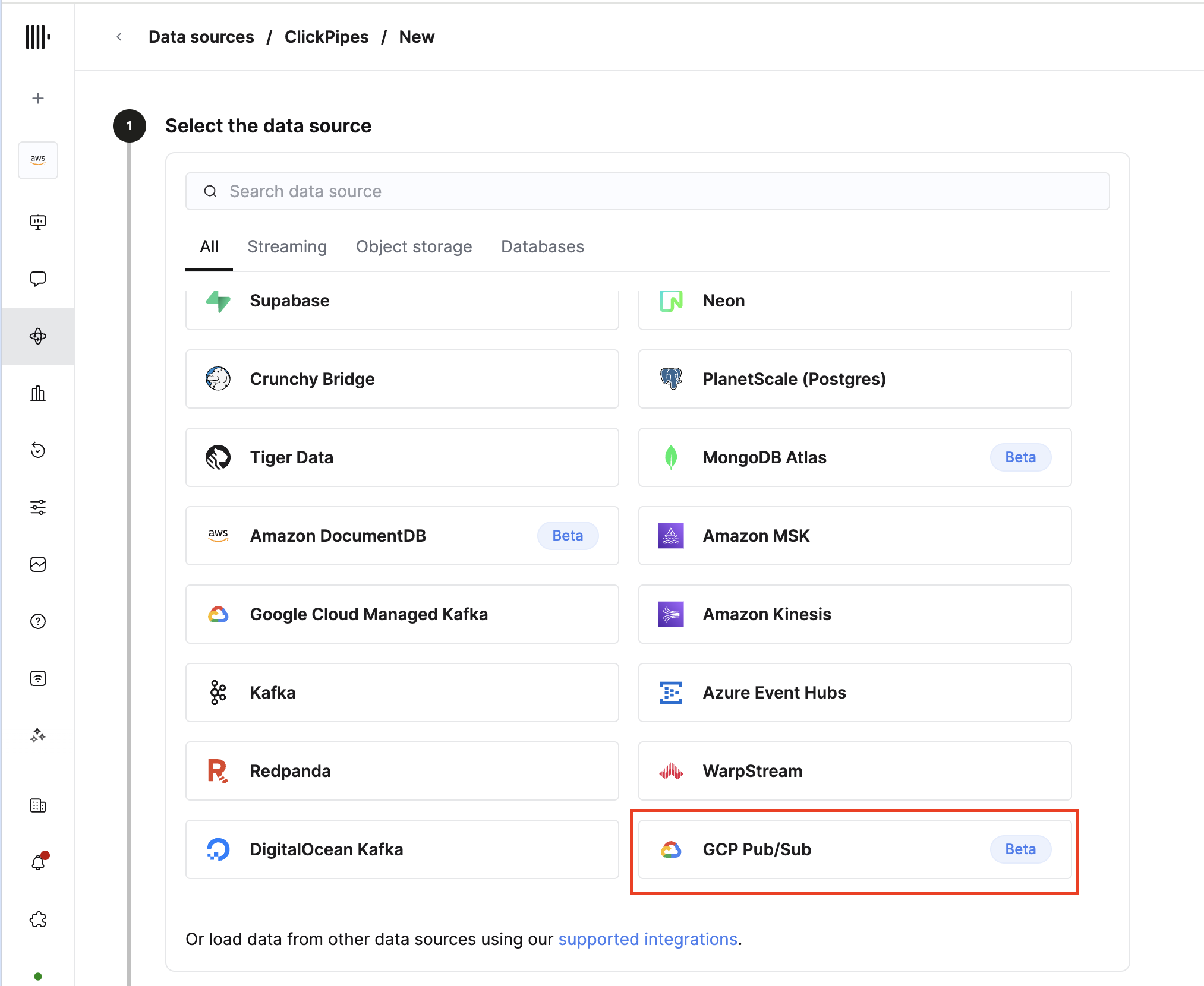
- Select GCP Pub/Sub as your data source.
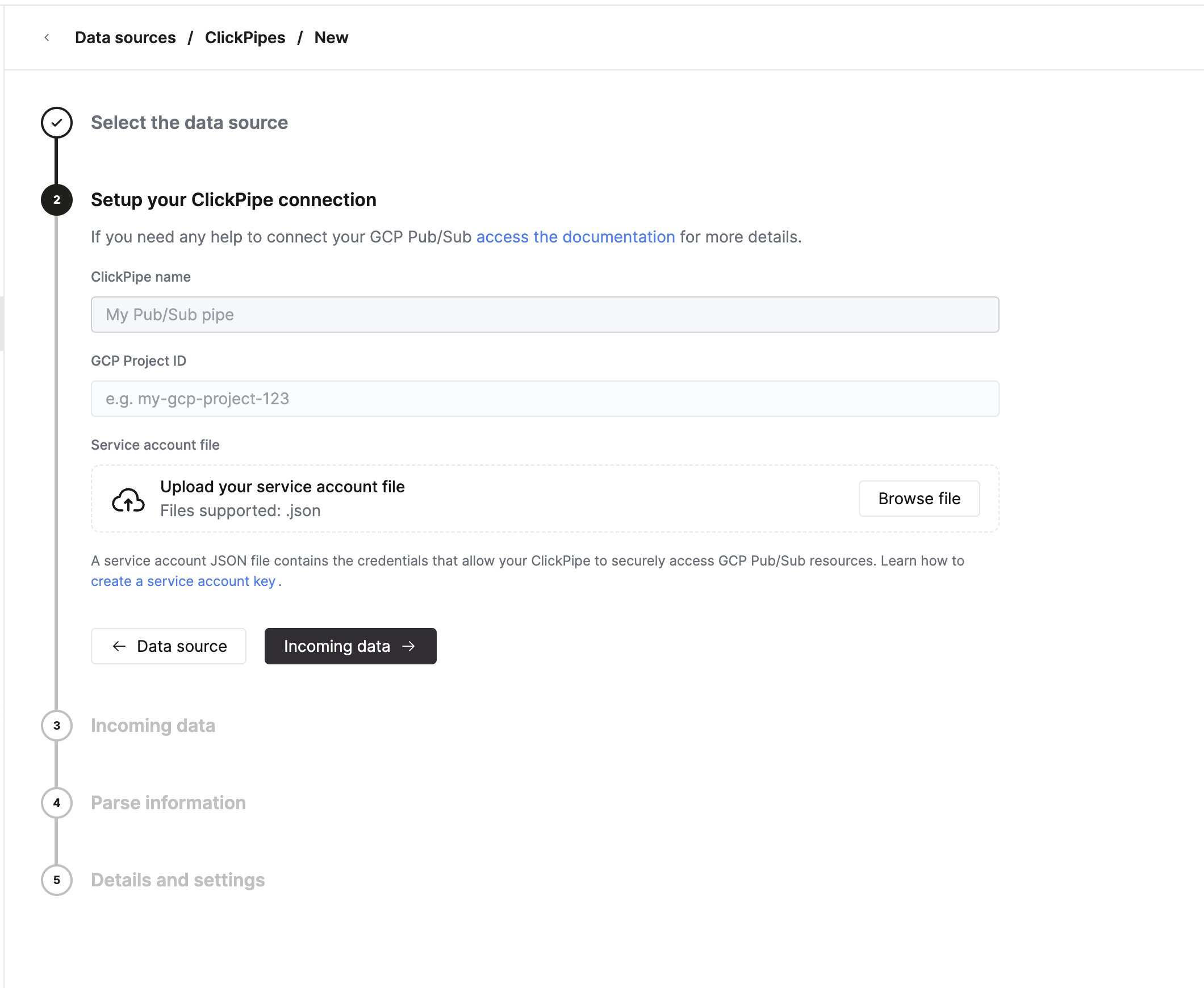
- Fill out the form by providing your ClickPipe with a name, your GCP Project ID, and the service account JSON file for the service account that has been granted Pub/Sub access. The Project ID must be 6–30 characters, can contain lowercase letters, digits, and hyphens, must start with a letter, and cannot end with a hyphen.
-
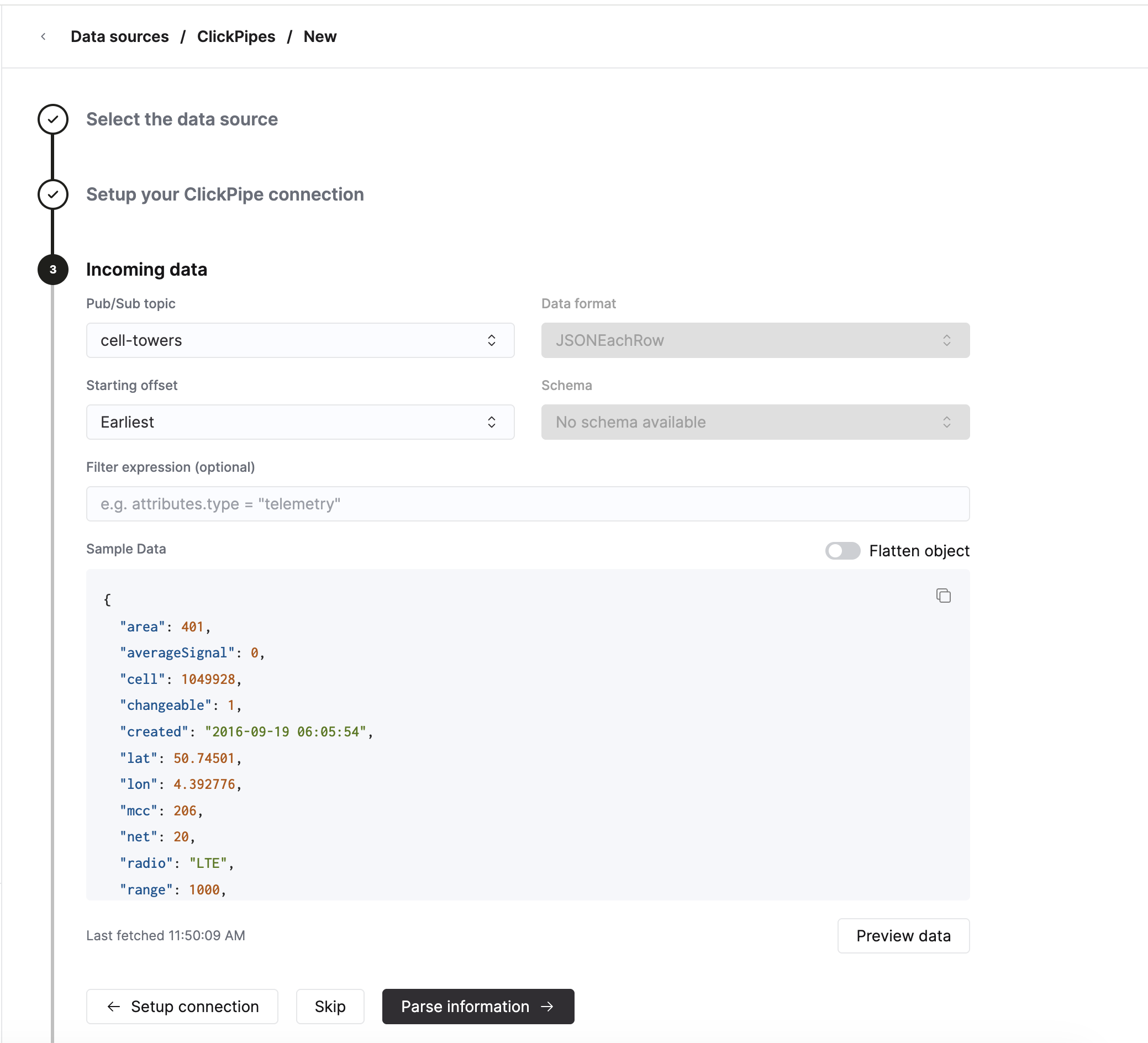
Select the Pub/Sub topic to ingest from. The dropdown is auto-populated from the topics in your GCP project (sorted alphabetically) once your credentials validate.
- Data format. ClickPipes queries the Pub/Sub schema registry when you select a topic. If the topic has a native Avro or Protobuf schema attached, the Data format and Schema are auto-detected and the selectors are locked to the latest schema on the topic. Topics without a native schema default to JSONEachRow.
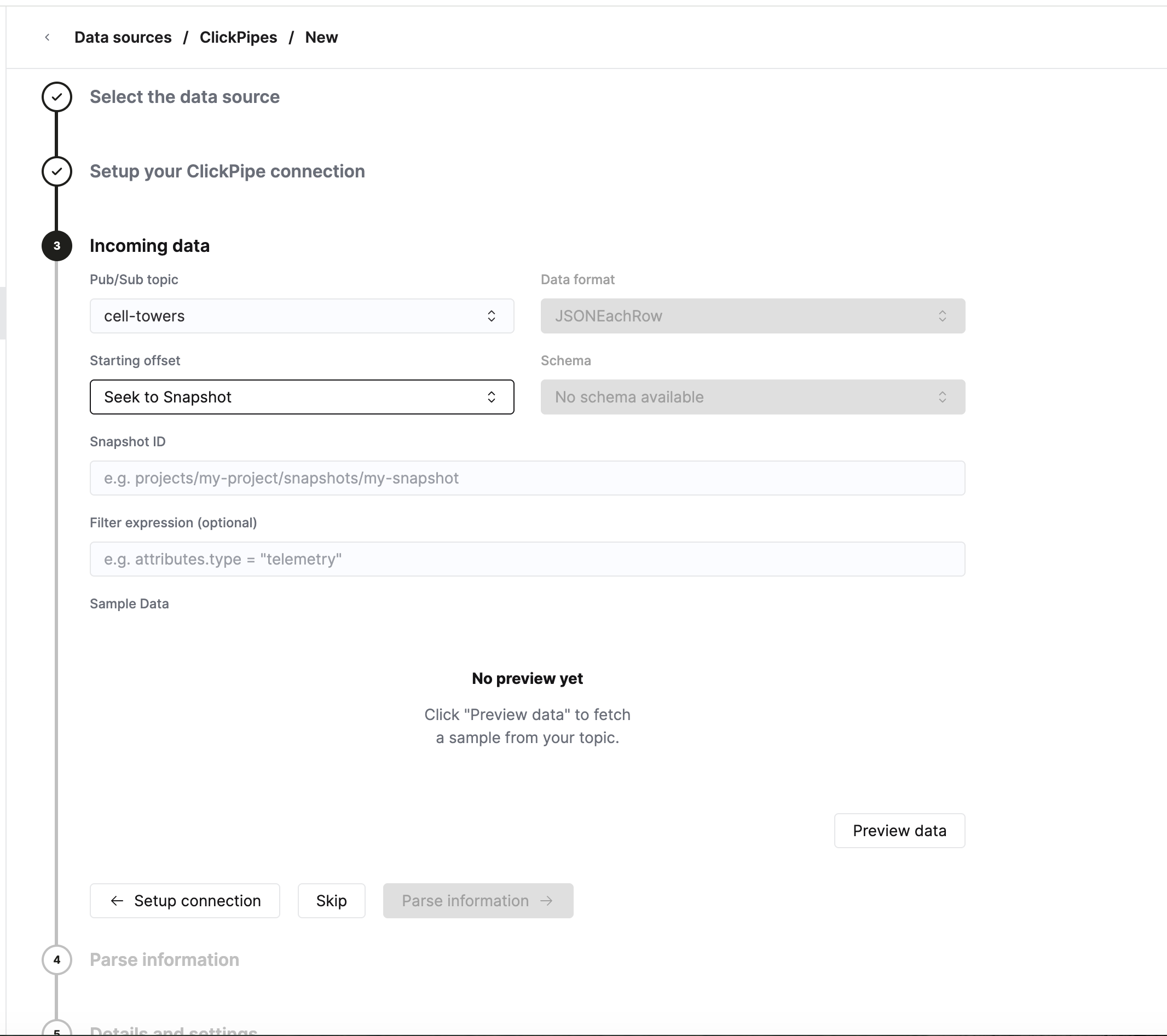
- Starting offset. Choose where to begin consuming. The available options are Latest (new messages only), Earliest (oldest retained messages), Seek to Timestamp (with a UTC datetime picker), and Seek to Snapshot (with a snapshot name input).
- Filter expression (optional). A Pub/Sub subscription filter on message attributes — for example,
attributes.type = "telemetry". Filters apply to message attributes only, not the payload, and cannot be changed after the pipe is created (changing the filter requires recreating the pipe). - The UI will show a sample message from the selected topic, with a Flatten object toggle that lets you preview how nested JSON would be flattened on the destination side.
When you choose Seek to Snapshot as the starting offset, an additional Snapshot ID field is shown. Provide the fully qualified snapshot resource name (for example, projects/my-project/snapshots/my-snapshot).
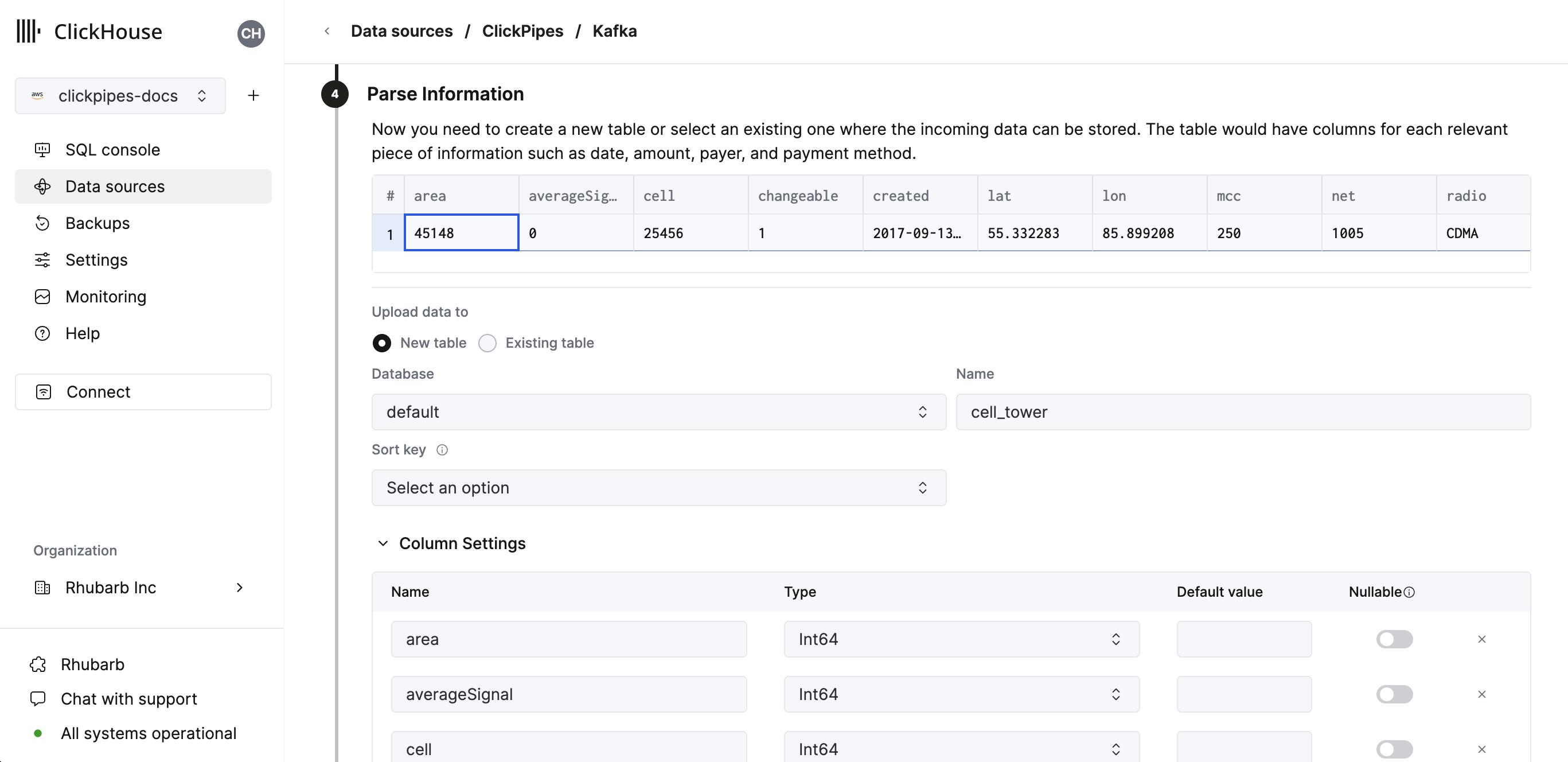
- In the next step, you can select whether you want to ingest data into a new ClickHouse table or reuse an existing one. Follow the instructions in the screen to modify your table name, schema, and settings. You can see a real-time preview of your changes in the sample table at the top.
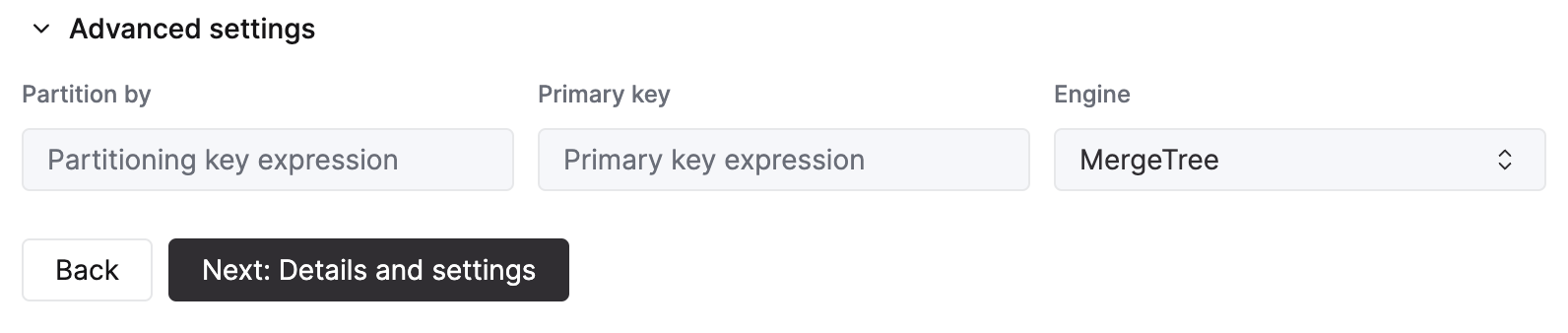
You can also customize the advanced settings using the controls provided
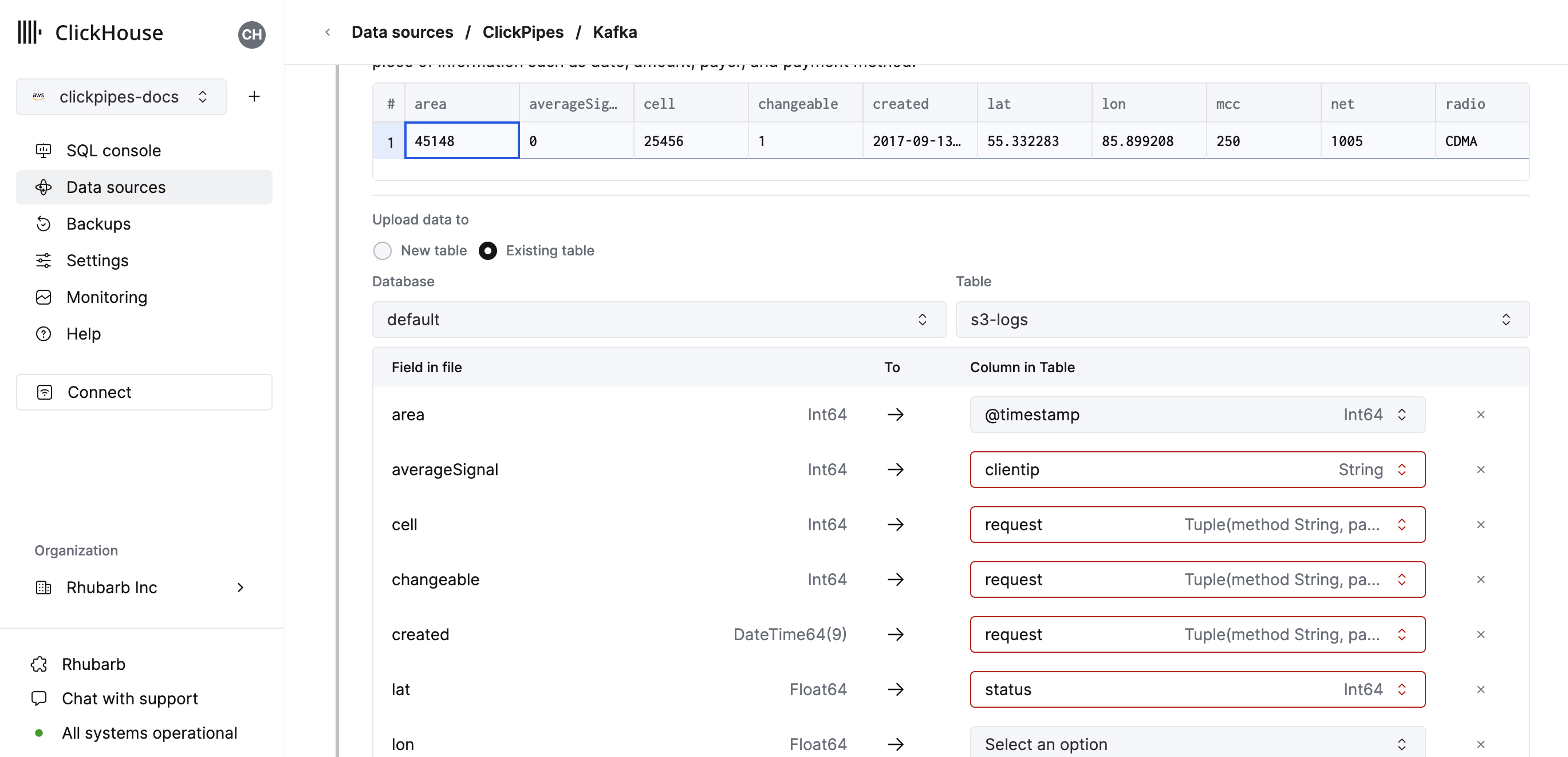
- Alternatively, you can decide to ingest your data in an existing ClickHouse table. In that case, the UI will allow you to map fields from the source to the ClickHouse fields in the selected destination table.
- Finally, you can configure permissions for the internal ClickPipes user.
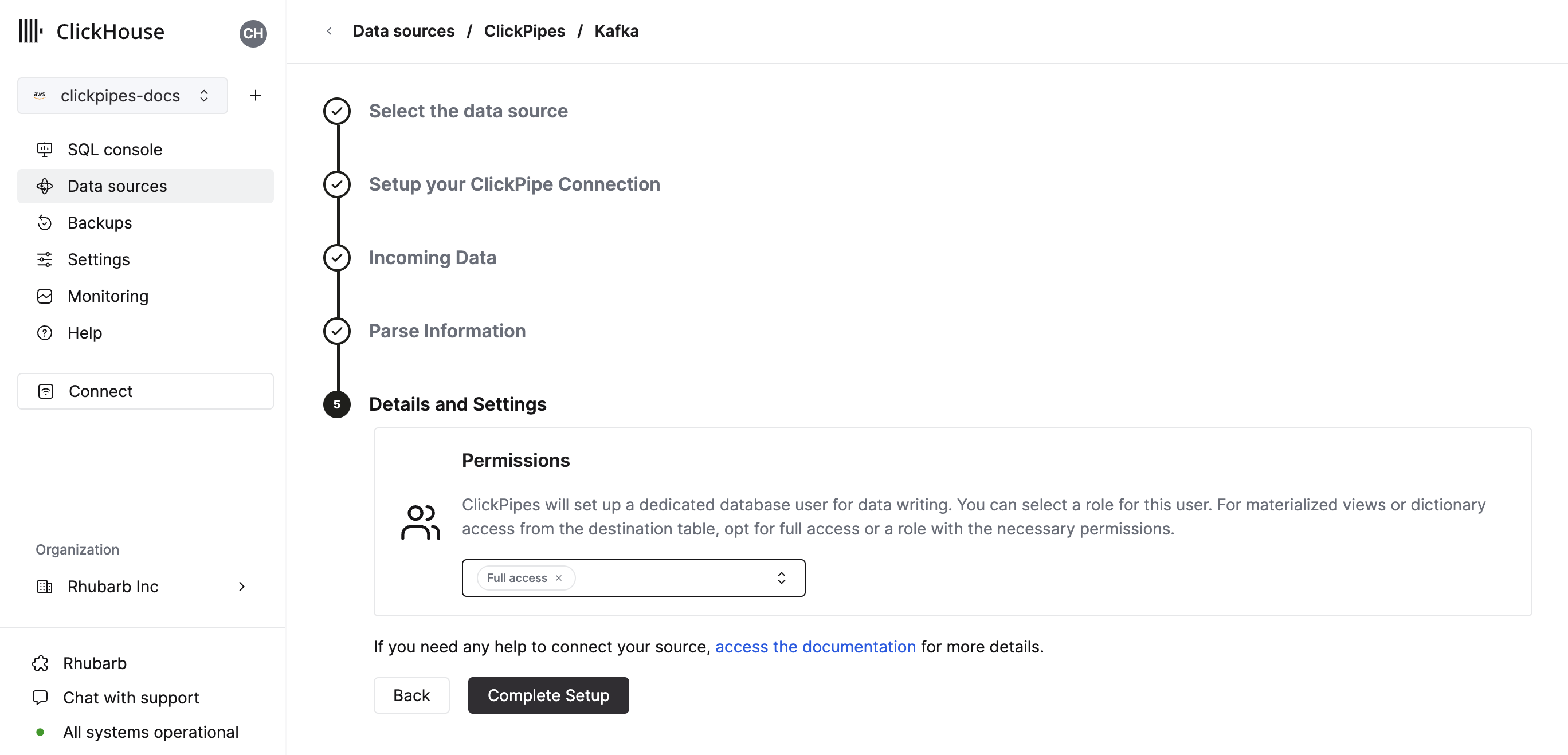
Permissions: ClickPipes will create a dedicated user for writing data into a destination table. You can select a role for this internal user using a custom role or one of the predefined role:
Full access: with the full access to the cluster. It might be useful if you use materialized view or Dictionary with the destination table.Only destination table: with theINSERTpermissions to the destination table only.
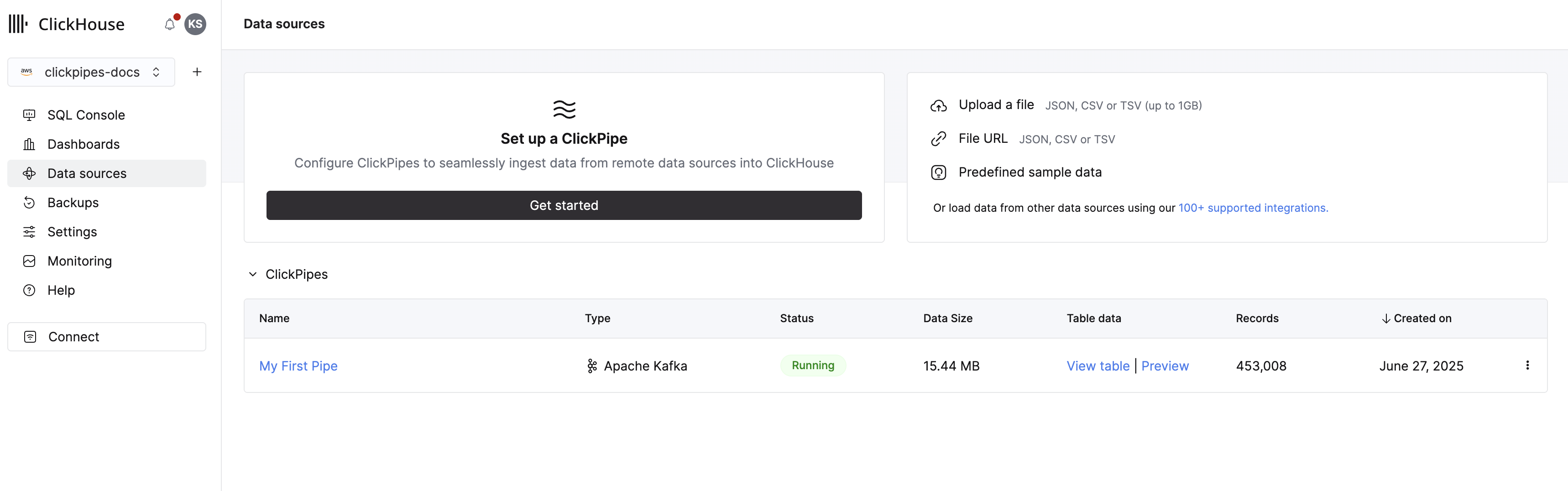
- By clicking on "Complete Setup", the system will register your ClickPipe, and you'll be able to see it listed in the summary table.
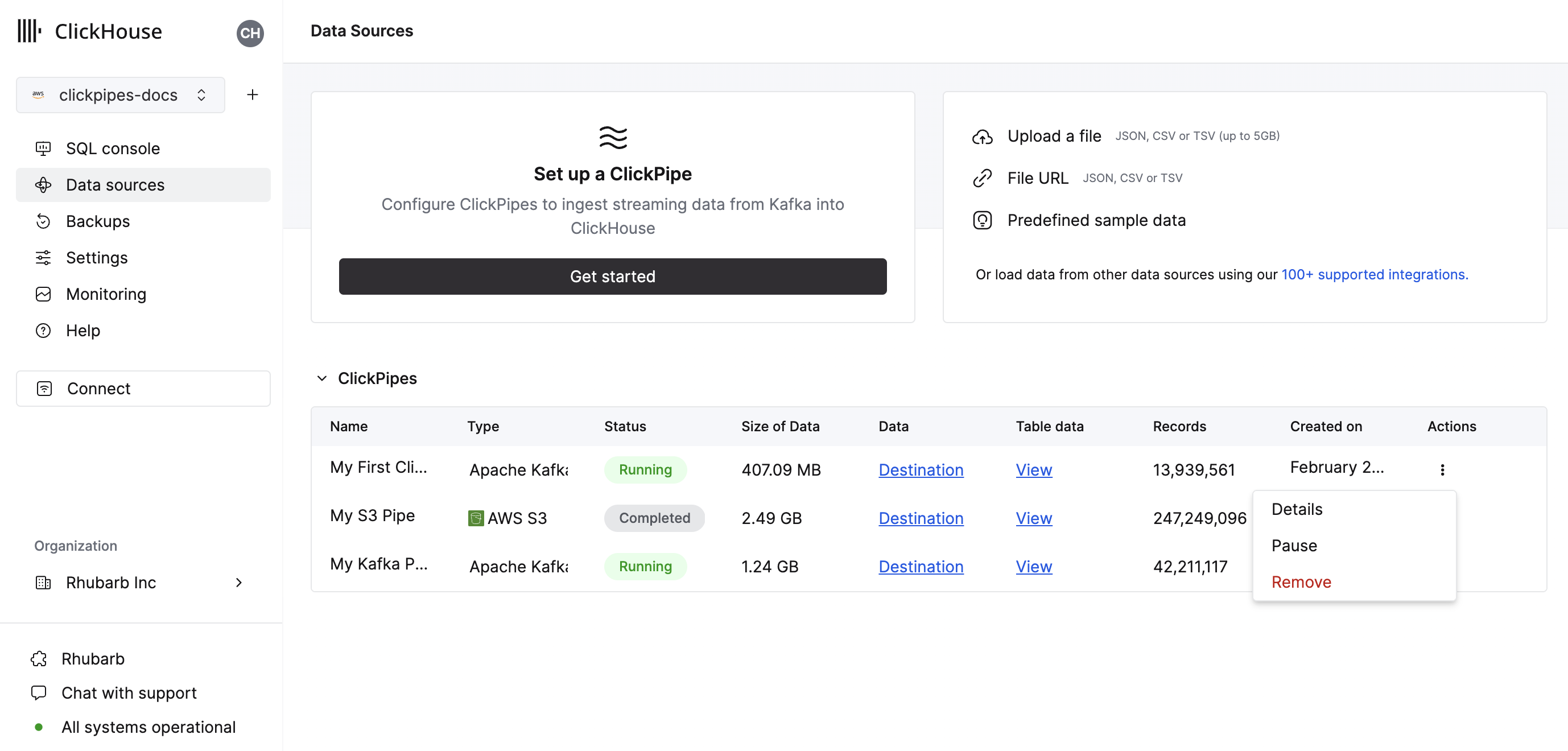
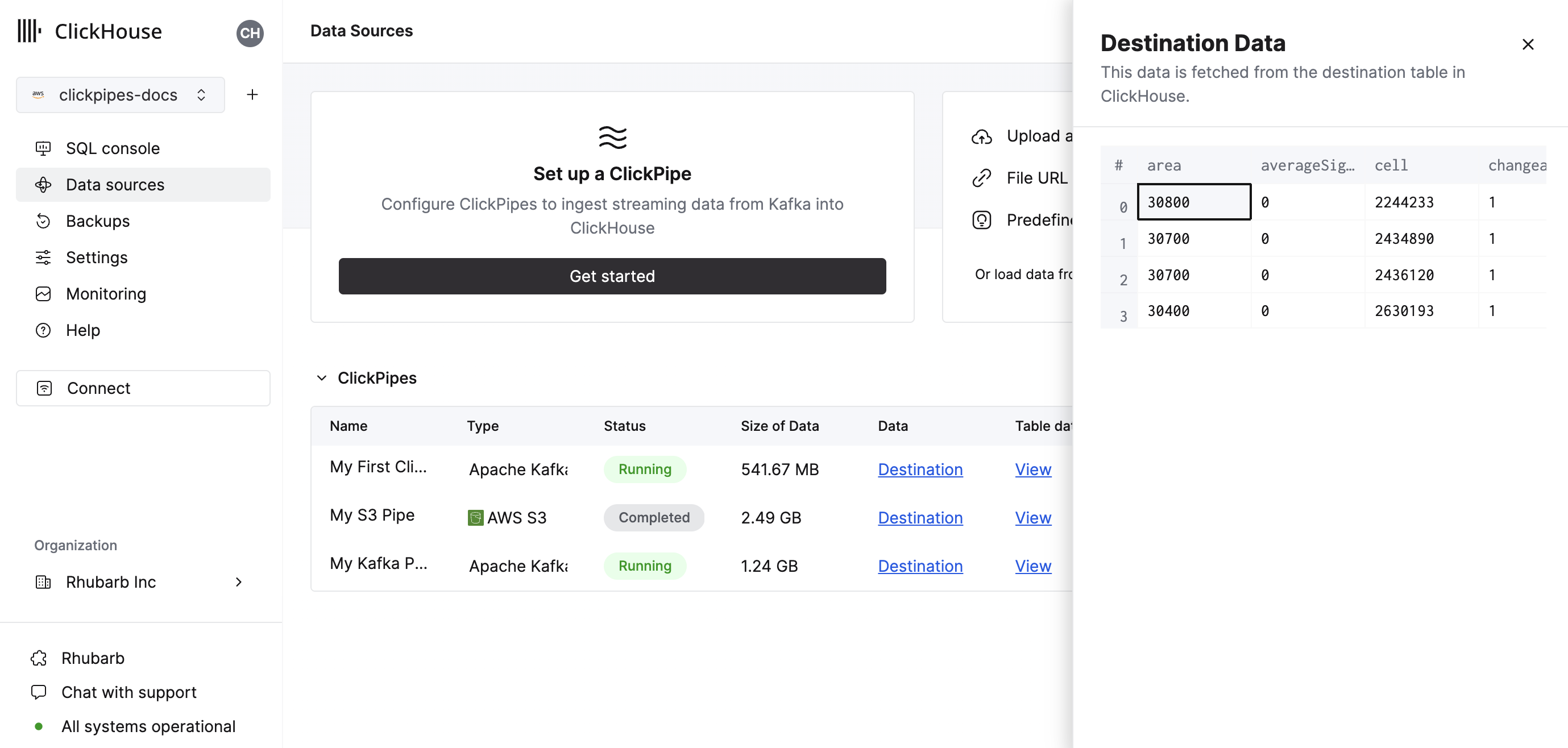
The summary table provides controls to display sample data from the source or the destination table in ClickHouse
As well as controls to remove the ClickPipe and display a summary of the ingest job.
- Congratulations! You have successfully set up your first Pub/Sub ClickPipe. It will be continuously running, ingesting data in real-time from your Pub/Sub topic into your ClickHouse Cloud service.
Managed subscriptions
Pub/Sub messages are consumed through subscriptions, not directly from topics. ClickPipes creates and manages a dedicated subscription for each pipe — you only ever pick a topic.
- The managed subscription is named
clickpipes-{pipeID}and is created on the topic when the pipe starts. - It is configured with a 60-second ack deadline, 7-day message retention, and message ordering enabled.
- Subscription creation is idempotent — pipe restarts and replica reschedules reuse an existing subscription if one already points at the configured topic.
- During topic discovery and message sampling, ClickPipes also creates short-lived ephemeral subscriptions (
clickpipes-discovery-{uuid}) that are deleted immediately after sampling completes. - When the pipe is deleted, ClickPipes deletes the managed subscription as part of teardown.
The service account you provide must therefore have permission to create and delete subscriptions on the project, in addition to consuming from them. See the Pub/Sub IAM Permissions guide for the full list.
Supported data formats
The supported formats are:
- JSON
- Avro — via Pub/Sub native schemas (BINARY encoding)
- Protobuf — via Pub/Sub native schemas (BINARY encoding)
For Avro and Protobuf, the schema is resolved from the Pub/Sub schema registry on the topic. The pipe always uses the latest revision of the topic's schema; the schema selector in the UI is read-only by design.
Compression
ClickPipes for Pub/Sub automatically detects and decompresses compressed messages. The Pub/Sub client delivers raw bytes — ClickPipes handles decompression for you with no configuration required.
The following compression codecs are supported:
- gzip
- zstd
- lz4
- snappy (framed format)
Compression is detected automatically via magic bytes in each message. If no known compression signature is found, the message is treated as uncompressed. The detected compression type is also surfaced during schema inference, so the sample data preview in the UI will correctly show the decompressed payload.
Auto-detection is safe for text-based formats like JSON, as printable ASCII characters will never collide with compression magic bytes. The decompressed payload is limited to 64MB.
Supported data types
Standard types support
The following ClickHouse data types are currently supported in ClickPipes:
- Base numeric types - [U]Int8/16/32/64, Float32/64, and BFloat16
- Large integer types - [U]Int128/256
- Decimal Types
- Boolean
- String
- FixedString
- Date, Date32
- DateTime, DateTime64 (UTC timezones only)
- Enum8/Enum16
- UUID
- IPv4
- IPv6
- all ClickHouse LowCardinality types
- Map with keys and values using any of the above types (including Nullables)
- Tuple and Array with elements using any of the above types (including Nullables, one level depth only)
- SimpleAggregateFunction types (for AggregatingMergeTree or SummingMergeTree destinations)
Variant type support
You can manually specify a Variant type (such as Variant(String, Int64, DateTime)) for any JSON field
in the source data stream. Because of the way ClickPipes determines the correct variant subtype to use, only one integer or datetime
type can be used in the Variant definition - for example, Variant(Int64, UInt32) isn't supported.
JSON type support
JSON fields that are always a JSON object can be assigned to a JSON destination column. You will have to manually change the destination column to the desired JSON type, including any fixed or skipped paths.
Pub/Sub virtual columns
The following virtual columns are supported for Pub/Sub topics. When creating a new destination table virtual columns can be added by using the Add Column button.
| Name | Description | Recommended Data Type |
|---|---|---|
| _message_id | Pub/Sub message ID assigned by the broker | String |
| _publish_time | Pub/Sub publish timestamp (millisecond precision, UTC) | DateTime64(3) |
| _ordering_key | Pub/Sub ordering key (empty string when no key is set on the message) | String |
| _attributes | User-defined Pub/Sub message attributes | Map(String, String) |
| _raw_message | Full Pub/Sub message payload (disabled by default) | String |
The _raw_message field can be used in cases where only the full Pub/Sub message payload is required (such as using ClickHouse JsonExtract* functions to populate a downstream materialized view). For such pipes, it may improve ClickPipes performance to delete all the "non-virtual" columns.
Limitations
- DEFAULT isn't supported.
- Individual messages are limited to 8MB (uncompressed) by default when running with the smallest (XS) replica size, and 16MB (uncompressed) with larger replicas. Messages that exceed this limit will be rejected with an error. If you have a need for larger messages, please contact support.
- Pub/Sub subscription filters are immutable — changing the filter expression requires recreating the pipe.
- Filters apply to message attributes only, not the message payload.
Performance
Batching
ClickPipes inserts data into ClickHouse in batches. This is to avoid creating too many parts in the database which can lead to performance issues in the cluster.
Batches are inserted when one of the following criteria has been met:
- The batch size has reached the maximum size (100,000 rows or 32MB per 1GB of replica memory)
- The batch has been open for a maximum amount of time (5 seconds)
Latency
Latency (defined as the time between a Pub/Sub message being published and the message being available in ClickHouse) will be dependent on a number of factors (publisher latency, network latency, message size/format). The batching described in the section above will also impact latency. We always recommend testing your specific use case to understand the latency you can expect.
If you have specific low-latency requirements, please contact us.
Ordering keys
Pub/Sub guarantees that messages sharing the same ordering key are delivered in publish order to a single subscriber. ClickPipes enables ordering on its managed subscriptions by default — when messages carry ordering keys, subscribers receive them in order; when messages don't carry ordering keys, behavior is unchanged.
If your producer publishes all messages under a small number of ordering keys (or a single key), Pub/Sub will funnel those messages to a small number of subscribers, which can limit horizontal throughput. We recommend either omitting ordering keys when ordering is not required, or using a high-cardinality ordering key.
Scaling
ClickPipes for Pub/Sub is designed to scale both horizontally and vertically. Each pipe uses a single managed Pub/Sub subscription — this is not configurable. By default, one consumer pulls from that subscription; you can increase the number of consumers during ClickPipe creation, or at any other point under Settings -> Advanced Settings -> Scaling. ClickPipes distributes messages from the subscription across the running consumers automatically — no additional coordination is required.
ClickPipes provides high availability with an availability-zone-distributed architecture; this requires scaling to at least two consumers.
Regardless of the number of running consumers, fault tolerance is available by design. If a consumer or its underlying infrastructure fails, ClickPipes will automatically restart the consumer and continue processing messages.
Delivery semantics
ClickPipes for Pub/Sub provides at-least-once delivery. A Pub/Sub message is acknowledged only after the corresponding row has been inserted into ClickHouse (or written to the error table for malformed records); all messages are acknowledged once handled — including bad records routed to the error table — to prevent infinite redelivery. If a replica crashes after the insert but before the ack reaches Pub/Sub, the message will be redelivered after the ack deadline and inserted again, so downstream consumers must tolerate duplicates. If you need exactly-once semantics, deduplicate downstream using the _message_id virtual column (each Pub/Sub message ID is unique within a topic).
Authentication
ClickPipes for Pub/Sub authenticates with GCP using a service account JSON key. You upload the key file when creating the pipe; ClickPipes encrypts it at rest and uses it at runtime to consume messages and manage the lifecycle of the managed subscription.
For the exact list of IAM permissions required and a recommended custom-role definition, see the Pub/Sub IAM Permissions guide.
